
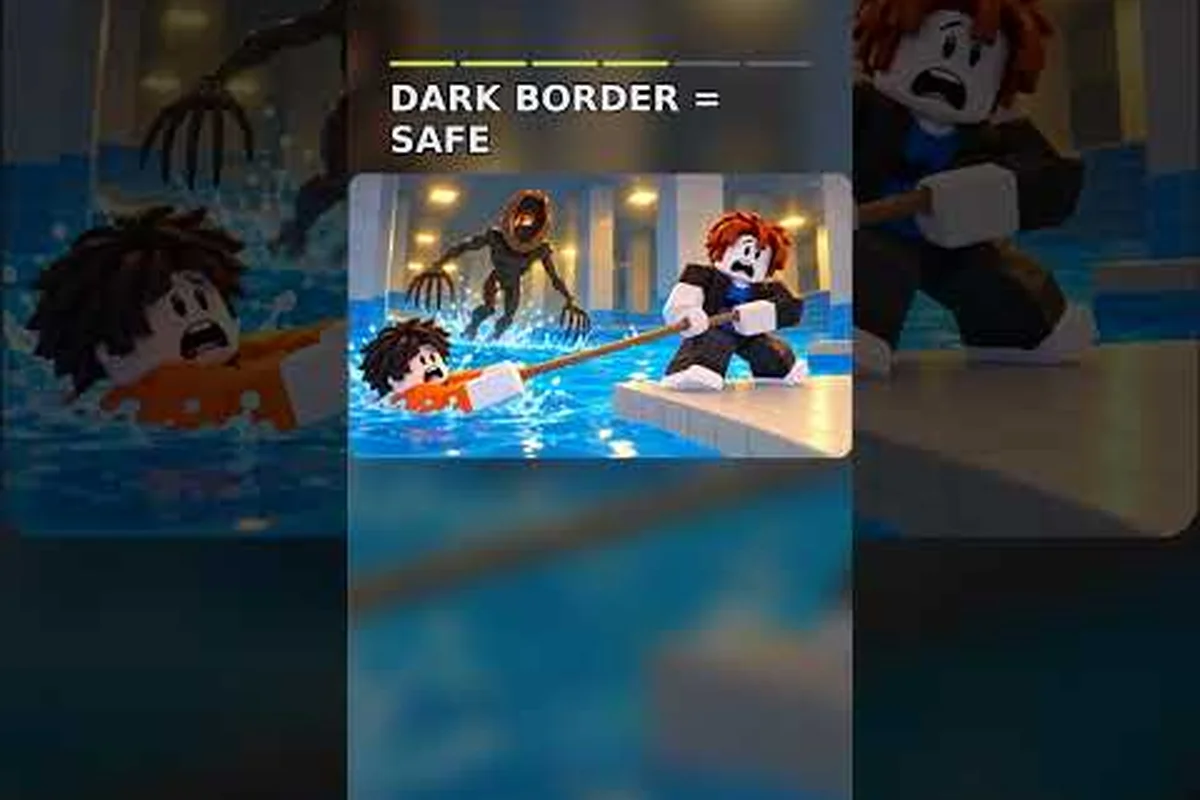
DONT SPLASH punishes careless water noise, so mastering the throw mechanic gives you a way to create a safe distraction. This guide explains the controls, hotbar behavior, checkpoint logic, and recovery options so you can keep moving without attracting the creature.
DONT SPLASH Throw Controls and Hotbar Basics
Learning dont splash how to throw starts with separating the action into three parts: selecting a throwable, aiming the arc, and releasing it at the right moment. The goal is not simply to hit a target. In DONT SPLASH, a pebble that lands in water creates a splash sound, and that sound can pull the creature’s attention away from your actual route. The official DONT SPLASH game page on Roblox describes the creature as responding to water, which makes controlled noise useful rather than merely cosmetic.
The key distinction is between a dry landing and a wet landing. A pebble can travel across a gap, land on a platform, and produce no meaningful noise if it does not enter the water. That is useful for checking a position, but it does not distract the monster. A splash is the deliberate noise event, so you should aim beyond the safe platform when your objective is to lure the creature elsewhere.
The basic throwing sequence
Treat the throw as a controlled distraction rather than a test of distance. For example, if a creature is guarding the next platform, throw toward a nearby water zone, wait for its attention to shift, and only then advance. This gives the noise event time to pull the creature away from your route, while keeping you on dry ground and out of the splash radius.
| Step | Action | Purpose |
|---|---|---|
| 1 | Equip a throwable from the hotbar | Confirms the item is active |
| 2 | Aim toward the intended water zone | Sets the landing point |
| 3 | Release the throw | Creates the noise event |
| 4 | Move along a dry route while attention shifts | Converts the distraction into progress |
| 5 | Check the next platform before crossing | Prevents a second accidental splash |
This sequence is simple, but the timing matters. If you throw too late, the creature may already be close to your position. If you throw too far, the pebble may miss the water or land outside the monster’s useful hearing area. Players reporting successful runs often describe a deliberate rhythm: throw, wait, then move.
Throwing and movement are separate decisions
The biggest mistake is treating a throw as a replacement for careful movement. A pebble can create a decoy, but it does not make the route safe by itself. Stop on a stable platform, make the throw, and then move only after the sound has registered. If the next jump is uncertain, test it before committing to a long distraction.
The community tips footage emphasizes that retries are a normal part of learning the game. That is especially true for throws because a missed landing can teach you about distance, and a failed distraction can reveal the creature’s position. The useful information is not just whether the run succeeds; it is where the sound occurred relative to your planned route.
DONT SPLASH Hotbar Controls by Input Type
The dont splash hotbar controls determine how quickly you can switch between tools and throwables. They matter because a delayed selection can leave you exposed at the exact moment you need to create a decoy. The interface may vary slightly by platform, but the underlying sequence is consistent: choose the slot, aim, and release.
Desktop controls
On desktop, use the number keys to select a hotbar slot, then use the mouse to aim and the primary action button to throw. Keep the throwable selected whenever you are near a water edge or a blind corner. Switching tools at the last moment is less reliable than arranging your loadout before the section begins.
| Action | Desktop control | What to watch for |
|---|---|---|
| Select item | Number key | Confirm the intended slot is active |
| Aim | Mouse movement | Keep the reticle away from your own route |
| Throw | Primary mouse button | Release only when the arc is clear |
| Cancel aim | Secondary mouse button, if supported | Use before making an accidental drop |
| Walk carefully | Movement keys | Reduce speed near edges and narrow platforms |
If the throw preview feels difficult to read, use the yellow platforms and black wall arrows as reference points. Verified walkthrough footage shows a route built around readable landmarks, including crossing rotating bridge planks and opening both valves in the maintenance lock. A clear visual target is more dependable than trying to judge a landing point by instinct.
Mobile and touch controls
On mobile, tap the desired hotbar slot, drag to set the aim, and release to throw. The exact gesture can feel different depending on the control layout, so use the practice area or a safe platform to confirm whether dragging also moves the character. If a tap throws without a clear aiming motion, keep the character still and use a deliberate drag rather than a quick flick.
Mobile players should also allow more space around the aim preview. A small correction near a platform edge can turn a planned splash into an accidental character splash. Keep the intended landing zone in the open area of the screen, and avoid placing a throw icon close to a movement joystick.
Hotbar loading strategy
A reliable hotbar setup keeps the throwable near the slots you use most often. If the game includes multiple throwable types, place the basic distraction item in the first usable slot and leave a second slot for the next tool. Do not cycle through a long arrangement in front of the creature, because the selection animation can cost the time needed to retreat.
For more detail on item placement, see the DONT SPLASH hotbar and item controls guide. That guide is especially useful if you want to separate throwables from tools without accidentally selecting the wrong slot.
How to Aim a Pebble Without Making a Splash
The best throw is the one that gives you time. A pebble should land in a place where the water noise attracts attention while your remaining route stays dry. That means the throw and the escape plan need to be designed together. If the only water you can reach is behind you, the distraction may pull the creature toward your next landing instead of away from it.
Distance and landing discipline
Use three landing categories to keep your throws predictable. A near splash creates a quick distraction with little travel time, a mid-range splash pulls attention across a wider section, and a far splash gives you more escape time but requires more accuracy. Beginners should favor the near or mid-range option unless the route clearly provides a longer safe runway.
| Throw type | Best use | Advantage | Main risk |
|---|---|---|---|
| Near splash | Immediate retreat from an edge | Quick and easy to place | May not pull the creature far enough |
| Mid-range splash | Moving across a connected platform | Balances distance and control | Requires a visible target |
| Far splash | Escaping along a long dry route | Maximum distraction window | A miss leaves little recovery time |
| Dry toss | Checking a landing or route | Creates no water noise | Does not distract the creature |
The dry toss is worth remembering because not every throw should be a decoy. If you need to place a pebble on a platform before a later move, a dry landing may be useful, but do not expect the creature to investigate it. The game’s sound-based danger means that the same action can have two very different outcomes depending on the landing surface.
Aim beyond the obvious target
Do not throw directly at the nearest visible pool. First identify where you need the creature to look, then choose a water area in that direction. This simple change separates a useful throw from a random noise. A decoy behind you is not useful if it pulls the creature back toward your landing zone.
A practical sequence is to glance at the next platform, locate the water on the far side, and make a controlled throw with your body facing the direction you want to investigate. Then move only after the splash occurs. This is more effective than throwing while sprinting, because sprinting makes the character’s own movement and position harder to track.
DONT SPLASH Checkpoints and What Happens After a Fall
Progress in DONT SPLASH is knowledge-based. Even when a run ends, learning the layout can make the next attempt faster. Checkpoints help preserve momentum, while the route itself teaches you which platforms are safe, where the creature hunts, and how to time a distraction. The broader DONT SPLASH walkthrough can help with the full escape route if you need a landmark-by-landmark reference.
What checkpoints do
Checkpoints normally mark a reached portion of the level so that a failed attempt can resume closer to the objective. They do not remove the need for careful movement, and they do not make a throw automatic. You still need to reach the correct platform, trigger the checkpoint, and preserve a clean route afterward.
| Failure point | What you learned | Best next action |
|---|---|---|
| Before the first route turn | You need more information about the opening platform layout | Re-read the yellow-platform and arrow landmarks |
| After a successful distraction | The throw was aimed too late or too close | Throw earlier and move immediately after the splash |
| At a rotating bridge | Your movement timing needs adjustment | Wait for the bridge position to match your landing |
| In the maintenance lock | You may have missed a required valve | Locate both valves before attempting the high exit |
| Near the exit | Your route was correct but the creature tracked the noise | Use a farther splash and keep the final approach dry |
Checkpoint behavior should be treated as a safety net, not a reason to rush. The game’s verified run reviews emphasize learning the starting loop, including the objective, map landmarks, and the likelihood of death. A checkpoint saves time, but a remembered route saves more.
Turn each death into route information
When a run fails, identify the first decision that made the failure likely. Did the character splash because a jump started too early? Did the pebble land on a platform instead of the water? Did the creature move toward the sound because the decoy was too close? Treating each failure as one specific lesson is more efficient than simply repeating the same attempt.
A short post-run checklist can turn each death into route information: for example, if the character splashes on a jump that begins before the pebble lands, record the missing gap and the arrow direction, then compare that failure with the next dry landing. Use the checklist alongside the hotbar controls, throw arc, decoy placement, and checkpoint reached, so the next attempt changes the specific input or route decision that caused the failure rather than repeating the same jump.
-
Confirm the first safe platform and the direction of the next arrow.
-
Decide where the creature must be before the throw.
-
Mark the dry landing immediately after the splash.
-
Identify which checkpoint was reached and what route follows it.
-
If the same jump failed twice, change the approach instead of continuing at the same pace.
DONT SPLASH Self-Revive Options After Death
Recovery options can reduce frustration, but they should not replace route knowledge. The most important distinction is between a self-revive effect, a paid or earned rescue option, and a checkpoint reset. They may restore access to the run, but they do not necessarily erase every mistake or grant a completely different route.
Choosing a recovery method
| Recovery option | Best use | What it solves | What it may not solve |
|---|---|---|---|
| Checkpoint reset | Repeat a later section | Saves time after a late mistake | Earlier route learning |
| Self-revive effect | Continue a run without restarting the whole stage | Immediate return to play | Poor throw placement or unsafe movement |
| Rescue or speed upgrade | Make a difficult recovery less punishing | Shorter or faster return | The need to learn the mechanic |
| Fresh attempt | Reassess a difficult opening | Clearer practice after a costly failure | Progress already earned in the current run |
The dont splash how to revive process depends on what your account and current run provide. Some players may have a self-revival item, while others may need to use the normal checkpoint or restart flow. Check the available recovery option in the game interface rather than assuming every player has the same tools or timing.
If you are evaluating a game pass, the 2x Cash Pass and self-revive options overview explains the broader pass-related distinctions. Use it to compare convenience, but do not assume that a recovery feature changes the core throwing rules.
Make recovery deliberate
After reviving, pause before running. Identify the last safe platform, the location of the creature, and the intended splash point. A deliberate reset is faster than repeating the same mistake. If you noticed a route that relies on a rotating bridge or a narrow platform, mark that section mentally before moving again.
A recovery is also a good time to simplify the tool loadout. Keep the throwable in a predictable slot, reduce unnecessary switching, and make sure you understand the DONT SPLASH tool controls and throwable list before attempting a difficult distraction. Fewer inputs mean fewer chances to select the wrong action under pressure.
Advanced Throw Routing and Failure Prevention
Advanced play comes from arranging a complete noise pattern. Instead of asking only where the pebble lands, decide where the creature should go, where you will move, and what remains dry. A successful throw gives you a short window, so your route should be ready before the splash occurs.
Build a three-part noise plan
A reliable plan has three parts: the anchor, the decoy, and the escape line. The anchor is your current safe position, the decoy is the water where the pebble lands, and the escape line is the dry route you take while the creature investigates. If any part is missing, the throw may create noise without producing useful progress.
| Plan element | Question to ask | Failure example |
|---|---|---|
| Anchor | Can you stand here without falling? | Throwing from a moving bridge |
| Decoy | Is the water clearly reachable? | Pebble lands on a dry platform |
| Escape line | Can you move after the splash? | The next jump requires the same timing as the throw |
| Fallback | Can you abort safely? | The only route leads directly into water |
The plan should account for the fact that the creature is not simply attracted to every sound equally. Verified gameplay reports indicate that it reacts to splash sounds rather than directly tracking vision. That makes direction and timing more important than a random loud noise.
Use failure feedback
Community experience suggests that memorized dry routes are more valuable than expensive gear. If a run fails because the creature reached the player, change the decoy direction. If it fails because the player fell, change the movement timing. If the throw did not register, verify that the item was equipped and that the release gesture was completed.
Three small rules improve consistency: confirm the pebble is selected in the hotbar, complete the release gesture without moving the aim during the throw, and treat the sound-based monster as evidence of where the pebble landed. If the creature still reaches you, a valid release may have produced too little distance, so try a wider throwing arc or a farther dry ledge instead of repeating the same input.
-
Throw from a stable platform rather than mid-jump.
-
Make the next landing decision before releasing the pebble.
-
Prefer a longer dry route over a shorter route that crosses water.
The rules are simple because the sound-based monster follows the pebble’s noise rather than your exact position. After the release registers, use the creature’s turn as a distraction and redirect toward a dry landing zone, but keep moving toward a stable platform so the throw does not turn into a self-revive situation. If the monster still reaches you, the release likely placed the pebble too close; test a wider arc or a farther dry ledge, then use that failure to adjust the next attempt instead of repeating the same throw.
Frequently Asked Questions
Can I throw a pebble in DONT SPLASH without making a splash?
Yes, a pebble can land on a dry surface, but that will not create the water noise used to distract the creature. If you want a decoy, aim for a pool or other water area. If you only want to place or test the item, a dry landing can still confirm whether your aim and release work.
What is the best way to learn the DONT SPLASH hotbar controls?
Practice on a safe platform before entering a dangerous section. Select the throwable with the number key or touch the appropriate hotbar slot, confirm the item is active, aim toward open water, and release. Keeping your character still while you test the gesture helps you separate a control mistake from a movement mistake.
Does throwing a pebble make the creature lose track of me?
A successful splash can redirect its attention because the creature responds to sound. It does not guarantee that it will ignore you, and a badly placed throw can pull it toward your next landing. Aim beyond the route you plan to use, then move along a separate dry path immediately after the splash.
How do checkpoints work in DONT SPLASH?
Checkpoints preserve progress after you reach a completed section, allowing a failed attempt to resume from that point instead of restarting the entire stage. They do not reset the need to learn the map, and they do not make a misplaced throw safer. Use them to save time, then resume with a planned route and a clear decoy location.
Is a self-revive better than using a checkpoint in DONT SPLASH?
A self-revive can be faster when your account has that recovery option, especially for a mistake made late in a stage. A checkpoint is the standard fallback and may cost more time, but it is useful when a self-revive is unavailable. Either way, changing your route plan after revival prevents the same failure from repeating.