
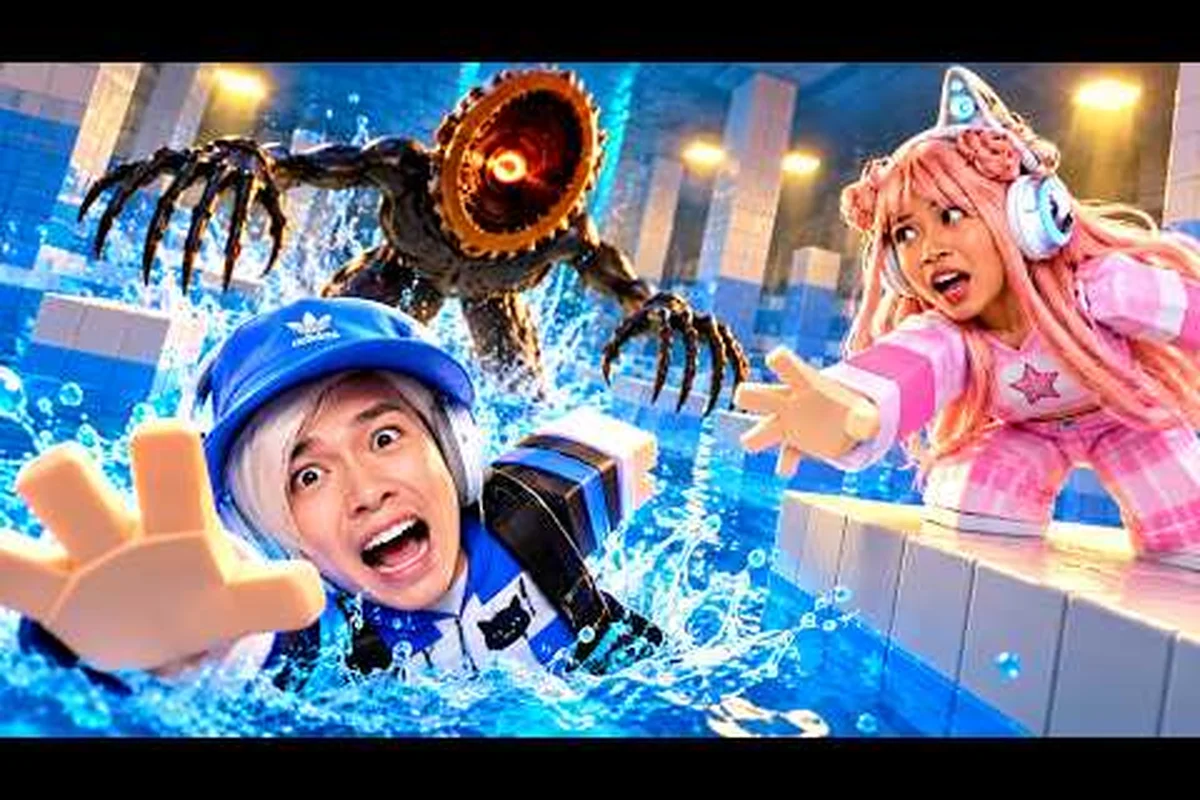
DONT SPLASH play with friends works best when every teammate understands the noise rule, spacing, and distraction system. A 10-player server can provide plenty of useful distractions, but crowding the same route turns harmless pebbles into dangerous signals that attract the creature.
Public Servers and the 10-Player Challenge
Public lobbies give you access to experienced players immediately, yet they also introduce unpredictable splashes. The official DONT SPLASH game page on Roblox confirms that a server can hold up to 10 players, so a crowded maze can shift from helpful cover into an accidental group target.
Understanding the server size is the first step toward coordinating a group. A full lobby is useful when your team is willing to separate, communicate, and take turns creating distractions. It becomes difficult when everyone attempts the same route at the same moment.
| Server arrangement | Main advantage | Main risk | Best use |
|---|---|---|---|
| Empty public server | Few accidental distractions | Less support and fewer decoys | Learning the maze quietly |
| Partially populated server | Flexible team spacing | Strangers can break a routine | Testing a loose formation |
| Full 10-player server | Many throwable distractions | One mistake may redirect IT | Coordinated coop play |
| Private server | Controlled roster and voice chat | Limited pool of helpers | Serious group runs |
The exact 10-player capacity makes a formation with purpose more important than staying shoulder to shoulder. If one player is crossing a gap, another should deliberately make noise in the opposite direction. The team should never use a real splash as its first-line distraction because that can pull the creature directly toward the active runner.
Read the Lobby Before Committing
Observe whether strangers are moving carefully or repeatedly entering water. If the lobby appears chaotic, start in a quieter corner and identify which players are making accidental noise. A successful team can sometimes recruit one of those players as a temporary decoy operator without sharing personal details.
The broader solo versus multiplayer comparison explains how server population changes the threat model. Solo players can control every step, while multiplayer groups gain more eyes and more tools but must protect their communication from constant noise.
Before starting a group run in Don’t Splash, compare the current server size with your group’s needs: a 10-player server may provide enough teammates for distraction roles, but it can also make the lobby louder and expose voice chat to overlapping calls. Confirm that the multiplayer party has a workable communication plan, a shared regroup point, and enough players to separate decoy duty from the main crossing route before committing to the public server.
-
Is everyone using voice chat or a quiet external channel?
-
Which player can throw distractions without creating a splash?
-
Where will the team regroup after a successful crossing?
-
What is the signal for “stop moving” and “fall back”?
-
Who handles the creature if it turns toward the main group?
Separate Roles Instead of Running as a Tight Block
A two-lane formation gives each person a clear responsibility. The main group follows the safer route, while a designated player creates controlled noise elsewhere. Two or three players should never crowd a single safe point because an accidental fall can affect the entire team’s route.
Use the group’s size without turning it into a conga line. One player can monitor IT, one can prepare distractions, and the others can move in pairs with a safe gap between them. If a teammate falls into the water, the nearest helper should create a pebble diversion before attempting any rescue.
This approach makes noise control more valuable than raw player count. The same ten players will struggle if every action is random, but they can clear a route efficiently when every splash, pebble, and movement has a purpose. For example, the main group can hold a steady path while the distraction player throws pebbles at a fixed target, drawing IT away for a few seconds instead of triggering a group-wide chase. This gives the team a narrow window to cross safely, reducing the number of simultaneous noise sources that could alert IT and break the formation.
Private Server Coordination for Reliable Group Play
A dont splash private server removes most of the stranger-related mistakes that complicate public matches. Your group can establish fixed roles, rehearse signals, and use the same route repeatedly without renegotiating every time a random player splashes near the crossing.
Private sessions work best when coordination improves movement rather than replacing it. Players still need to watch terrain, monitor the creature, and make independent decisions when a route changes. The benefit is that a teammate can respond quickly because everyone understands the plan.
| Coordination choice | Recommended setting | Reason |
|---|---|---|
| Voice communication | Enabled, with push-to-talk | Allows urgent warnings without constant background speech |
| Visual signals | One simple gesture per event | Works when a teammate is out of voice range |
| Distraction role | One player at a time | Prevents competing noise cues |
| Rescue rule | One helper, one cover player | Limits clustering around a fallen teammate |
| Server access | Invitation only | Keeps the roster known and coordinated |
A single distraction role should operate for only a short window. Once the intended crossing is complete, that player should stop throwing pebbles and move with the group. Otherwise, distant noise may confuse teammates who no longer understand why it is happening.
Build a Three-Signal Language
Complex communication wastes time while IT closes in, especially in a dont splash coop mode session where a private server or 10 player server can make overlapping voices easy to misread. Limit routine coordination to three distinct signals—danger, go, and regroup—and reserve a fourth rescue signal for emergencies. For example, agree that one spoken “danger” freezes movement, two taps mean go, and a raised hand returns the group to its last safe checkpoint; the rescue pattern should summon a helper without sending everyone toward the water.
| Signal | Example | Everyone’s response |
|---|---|---|
| Danger | One short spoken word | Freeze and listen for creature movement |
| Go | Two short taps or a spoken cue | Move through the agreed route |
| Regroup | Raised hand or agreed phrase | Return to the last safe checkpoint |
| Rescue | Distinct pebble pattern | Helper creates noise while others cover |
Keep the vocabulary distinct. If “stop” and “go” sound similar over a noisy connection, one player may move at the exact moment another freezes. The group should also know that a rescue signal does not mean everyone should approach the water.
Keep Decoys Predictable
A private server encourages routine-based distractions. The same player can throw pebbles from a familiar ledge while the rest of the team crosses at a fixed interval. Repeated practice reduces hesitation because each teammate knows when the diversion will start and how long it should last.
Do not overcomplicate the routine with several simultaneous throwers. Two sources can help if they operate on opposite sides of the map, but simultaneous noise makes it harder to judge whether IT followed the first pebble or the second. One clear distraction is often more effective than several vague ones.
Pebble Distractions and Noise Control
Pebbles are the central cooperative tool in DONT SPLASH. A well-timed throw can move IT away from a crossing, while a badly aimed pebble can either land too late or draw attention toward the wrong teammate. Community walkthroughs, including Zac Worthy’s DONT SPLASH walkthrough, show coordinated squads assigning one distractor while the others move.
The key is to treat each pebble as a directed route change. Decide where you want IT to look, identify the teammate who needs a safer path, and then throw. Randomly scattering objects wastes the distraction and teaches the team nothing.
Direct Noise Away from the Active Runner
The runner should begin moving only after the pebble lands where it can redirect the creature. If both actions happen simultaneously, IT may choose the louder or closer target, causing the intended route to fail—especially when a nearby teammate makes more noise. For example, during a narrow crossing, the thrower should place the pebble on the side opposite the runner, wait for IT to commit, and only then signal the runner to move through the opening.
| Timing choice | Result | Recommendation |
|---|---|---|
| Throw, then wait for a reaction | IT commits toward the pebble | Best for narrow crossings |
| Move and throw together | Distraction may be ignored | Avoid during critical gaps |
| Throw without a marked direction | Noise may attract nearby players | Use only as a temporary lure |
| Continuous pebble spam | The intended signal becomes unclear | Pause after one effective diversion |
A useful team rule is one throw, one crossing. The thrower waits for the intended teammate to complete the first section before creating another distraction. This creates a clean sequence and prevents IT from oscillating between your decoy and the moving group.
Reserve Real Splashes as Last Resorts
A real splash can work as a last-second emergency distraction, but it carries a higher risk. The noise may pull IT toward the fallen player rather than away from them, and nearby teammates may become caught in the same response. Use it when a controlled pebble no longer offers enough separation.
Before anyone intentionally enters the water, identify the desired direction of movement. The splash should pull attention toward an empty zone, not a teammate waiting to cross. Remember that the creature follows sound and movement rather than intentions, so verbal plans matter less than the actual placement of the noise.
Keep Voice Chat Under Control
Constant conversation can make teammates miss creature cues, especially during crowded encounters in DONT SPLASH where several players are moving, splashing, or rescuing companions at once. Push-to-talk is preferable because it separates meaningful warnings from casual noise and lets teammates react quickly to threats. Keep the channel clear for three priorities: danger, movement, and rescue instructions. For example, a short “danger left” call is more useful than continuous commentary, while a rescue message should identify the teammate’s location so the group can respond without wandering into another hazard.
TonyCool’s DONT SPLASH tips video highlights the public-server risk caused by accidental splashes and suggests spreading out instead of herding. That advice becomes even more valuable in private sessions, where disciplined spacing can prevent several mistakes from compounding at once.
Public Server Tactics for Playing With Friends
Public servers remain the easiest place to meet other players, yet they offer the least control over the roster. The safest approach for dont splash group playing is to use public space deliberately rather than trying to control every stranger. Spread out, keep moving in small units, and avoid assuming that other players understand your signals.
Public-server communication should be brief because teammates may not share voice chat. Agree on a visible gesture, use short callouts, and avoid gathering in a large cluster. If your group enters a busy area, the first member should identify an alternate route instead of forcing everyone through a crowded point.
Use Strangers as Optional Distractions
A stranger’s accidental splash can help, but it can also ruin a planned crossing. Watch where people are standing before committing to a route. If several players gather near a gap, wait for the area to thin out or choose a different crossing that keeps your group separated from the crowd.
The public-server noise rule is simple: never move toward a noise source without confirming that IT is also focused there. Teammates sometimes rush toward a splash to help, which creates a second target. Instead, the nearest helper should distract from the side while the rest of the group holds position.
| Public-server situation | Team response | Reason |
|---|---|---|
| Stranger lands safely | Continue if route remains clear | No need to alter the plan |
| Stranger falls in water | Hold and observe IT | The fall may redirect the creature |
| Group notices a gap | Wait briefly for space | Prevents a crowded crossing |
| Someone appears lost | Offer one short direction | Reduces accidental group movement |
| Route becomes crowded | Select another route | Keeps the formation flexible |
The public lobby is not a reason to avoid group play. It is a reason to use fewer assumptions. A clear visual signal, modest group size, and adaptable route can make the difference between a successful crossing and an accidental stampede.
Prevent Herding at Junctions
Junctions and chokepoints turn a friendly Don’t Splash group into a crowd-control problem: when several players stop to read an instruction, doorway, or obstacle prompt, the pause can block an escape route and expose everyone to the approaching IT. Keep only the players needed for the next mechanic at each junction, and send the remainder forward in small intervals—for example, two players hold a narrow passage while two others advance toward the next checkpoint, rotating the role every few seconds so the pack does not bunch up around a single doorway.
If a teammate falls, do not allow six people to gather around the water. One player distracts IT, another approaches if the terrain is safe, and everyone else moves to the next checkpoint. The group should treat rescue as a two-person task within a larger movement plan.
For more detail on managing difficulty while bringing several people together, use the friend-focused gameplay guide. It provides a useful foundation before adapting those mechanics to a noisy public lobby.
A Reliable Session Plan for 10-Player Teams
A group of ten can turn DONT SPLASH into a coordinated escape operation, but only if the group assigns roles instead of reacting independently. Start with a brief plan, identify a lead, and make the first few rounds controlled practice rather than a full-speed rush.
The server-size advantage is strongest when the team has enough players to separate into functional units. With ten participants, use small groups of two or three rather than one ten-person mass. Keep a dedicated distractor outside the main formation whenever possible.
Assign a Lightweight Role Structure
Exact roles can change as the team learns, but ownership should never be vague. The lead watches the route and calls turns, the lookout watches IT, the distractor manages marked pebble throws, and every remaining teammate keeps personal spacing so a diversion does not pull the group into a crowded blob. For example, if the thrower is cut off from the route, another teammate can cover the diversion only after a visible cue, while the lead delays the next turn until the group has a safe crossing. This clear division keeps the public-server or private-server group coordinated without turning every movement into micromanagement.
| Role | Main responsibility | Avoid |
|---|---|---|
| Lead | Route selection and turn order | Micromanaging every jump |
| Lookout | Watching IT and nearby threats | Leaving the group without warning |
| Distractor | Controlled pebble throws | Throwing without a marked direction |
| Runner | Crossing on a clear cue | Starting before the diversion lands |
| Rescuer | Immediate help for a fallen teammate | Drawing everyone to the same spot |
| Support players | Protect and assist assigned units | Following as one crowded block |
Assigning roles does not mean players should stop adapting. If the thrower gets separated, the nearest support player can take over after a visible cue, such as a raised hand or a agreed call, while the lead waits for the route to become clear. If IT follows the group, everyone should stop, spread out, and redirect it before resuming; rushing back to a crowded crossing can make the pursuit more dangerous.
Use Short Practice Rounds
The first round should test communication rather than speed. Begin with a safe crossing, have the thrower make one pebble diversion, and have the lead confirm that the group saw the creature move. If the team cannot explain what happened, another round is more valuable than an immediate escape attempt.
This is especially important for a dont splash 10 player server, where ten voices can make a simple decision sound complicated. Keep ordinary callouts to one word, assign stop and go signals that cannot be confused, and use only the planned signal for emergencies.
Keep a Fallback Route
Every crossing should have a retreat path, even if the team never uses it. Identify a checkpoint behind the active group and make sure the path back to it is clear. If the distraction fails, the lead can return everyone to the checkpoint without creating a pileup around the attempted crossing.
A practical rule is to change routes after a serious accident. If one fall pulls IT toward the same corridor used by the team, the group should try a different approach rather than repeatedly throwing more pebbles at the problem. Fresh routes reduce predictability and can turn a dangerous area into an easier passage.
Common Group Mistakes and Quick Fixes
Most failed Dont Splash coop runs come from a few understandable mistakes: moving too close, talking over warnings, using pebbles without a target, and surrounding a fallen player. A concrete example is crossing the same safe tile as the lead: it can trigger a tight formation, block a second crossing, and force the group to scatter. Fixing those habits usually helps more than memorizing a complicated route.
Review failures immediately after each run, but keep the analysis short. Identify whether the mistake involved spacing, timing, role clarity, or route choice, then change only one behavior on the next attempt. This makes practice actionable instead of turning the session into blame.
| Common mistake | Warning sign | Quick correction |
|---|---|---|
| Tight formation | Multiple players share one safe tile | Add gaps and move in pairs |
| Pebble spam | IT changes direction repeatedly | Use one clear throw per crossing |
| Rescue pileup | Most of the group approaches water | Assign one helper and one cover player |
| Confusing calls | Players move during a danger warning | Choose distinct stop and go signals |
| Unmarked route change | Teammates split without warning | Lead announces the new checkpoint |
| Crowded public route | Strangers block the intended gap | Wait for space or switch routes |
Noise discipline is the common thread in Dont Splash coop mode. A group that uses short calls, leaves space between tiles, and layers distractions in sequence can preserve the lead’s route signal and reduce accidental pileups better than a louder group that reacts after every mistake. For example, one teammate can briefly distract the IT while another crosses, but the call should identify the role and the safe checkpoint; otherwise, overlapping pebble spam makes the lead’s direction change impossible to follow. On a 10-player server, this discipline becomes essential because even two nearby players can block a public-route gap. Private-server groups can assign the same roles more consistently, but the underlying timing and spacing rules still apply.
Frequently Asked Questions
What is the best way to play DONT SPLASH with friends?
Use a private server when possible, assign one distraction player, and keep the main group spaced out. Pebbles should pull IT away while one teammate crosses at a time. Voice chat, clear stop and go signals, and a regroup checkpoint make mistakes easier to recover from without turning the entire team into a single target.
Is a full 10-player server better for coop mode?
A full server offers more helpers and distractions, but only when the group avoids moving as one block. The dont splash 10 player server is most effective with small units, a dedicated thrower, and short crossing intervals. Crowding a gap or throwing several pebbles at once can make the intended diversion less reliable.
Should friends avoid public servers entirely?
No, but they should expect less control over other players. Public servers can be useful for meeting players and finding active routes, yet accidental splashes may pull IT toward your group. Keep dont splash public servers sessions loose, wait for crowded crossings to clear, and treat every stranger’s fall as a possible change in IT’s movement.
Does using a private server make the game easier?
It removes coordination problems, not the underlying hazards. A dont splash private server lets friends use voice chat, rehearse signals, and assign fixed roles, but players still need to watch terrain, control noise, and use distractions properly. The server makes a coordinated attempt more realistic; it does not guarantee an escape.
What should a group do when one teammate falls into the water?
Hold the main group at a safe checkpoint and stop sending everyone toward the accident. One teammate should throw a controlled pebble to redirect IT, while a second approaches only if the route is safe. A third player can cover the helper, but the rest should preserve distance and prepare to continue once the rescue succeeds.